I played a key role in the development of the Employee Portal, crafting a user-centric interface that enables employers and HR representatives to efficiently access various employee management applications. Collaborating with two other designers, my primary focus was on designing features related to Help & Support, report generation, search functionality, and the overall user dashboard workflow.
Audit and Remediation was an application that allowed “Our Persona Helen” to upload historical paper I-9’s eliminating paper
My Role
- Responsible for discovery on Unemployment Claims portal application
- Enhancing the portal from designing Help and Support, Report Center, Search and Organization Settings experiences
- Lead design sessions
- Maintained and updated the design system
- Mentor other designers in UXPin best practices.
- Crafted unmoderated user test sessions and shared feedback with stakeholders.
- Worked with stakeholders on gathering and interpreting requirements.
Results
- Enhanced Portal Experience
- Improving discoverability of applications in the portal and enhancing overall navigation
- Increased development speed by crafting results easily implemented by development.
Portal Home
Enhancing User Experience in the Employee Portal: A Focus on Help and Support
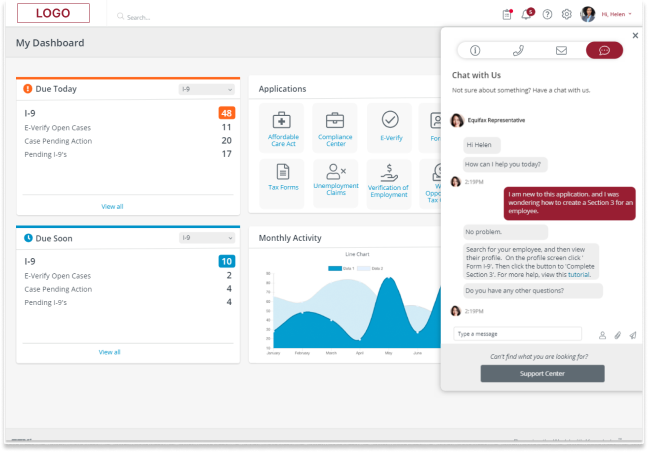
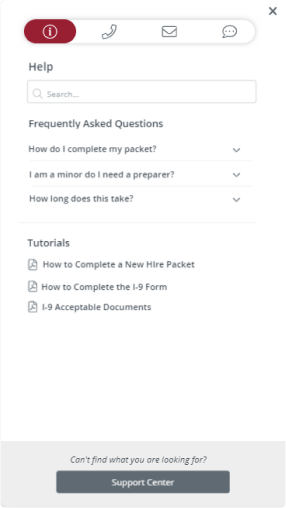
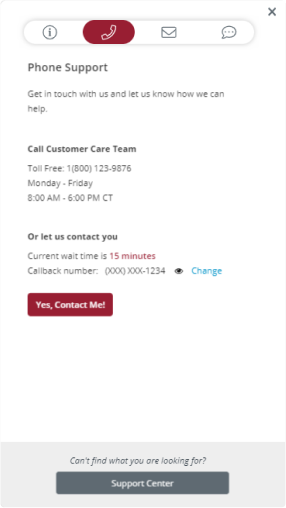
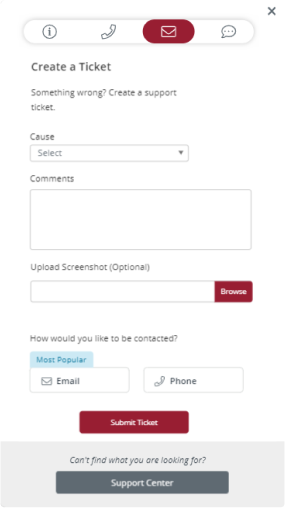
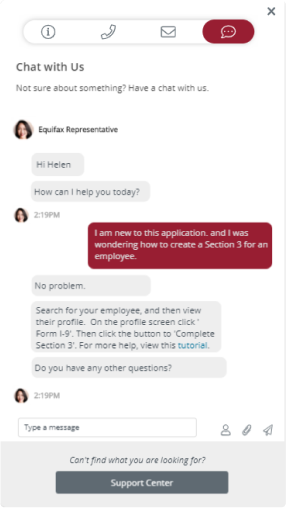
I played a key role in the development of the Employee Portal, crafting a user-centric interface that enables employers and HR representatives to efficiently access various employee management applications. Collaborating with two other designers, my primary focus was on designing features related to Help & Support, report generation, search functionality, and the overall user dashboard workflow. The Help and Support feature allows users to access assistance through general help topics or by contacting support via phone, email, or live chat. This functionality is embedded in a modal that activates when the user presses the support button, providing them with options to select the type of support they prefer. For further assistance, users can explore the help center, which offers more extensive documentation and FAQs.
General Info
Contact by Phone
Contact by Email
Contact by Chat
Designing an Optimal Report Center for Enhanced Reporting and Traceability
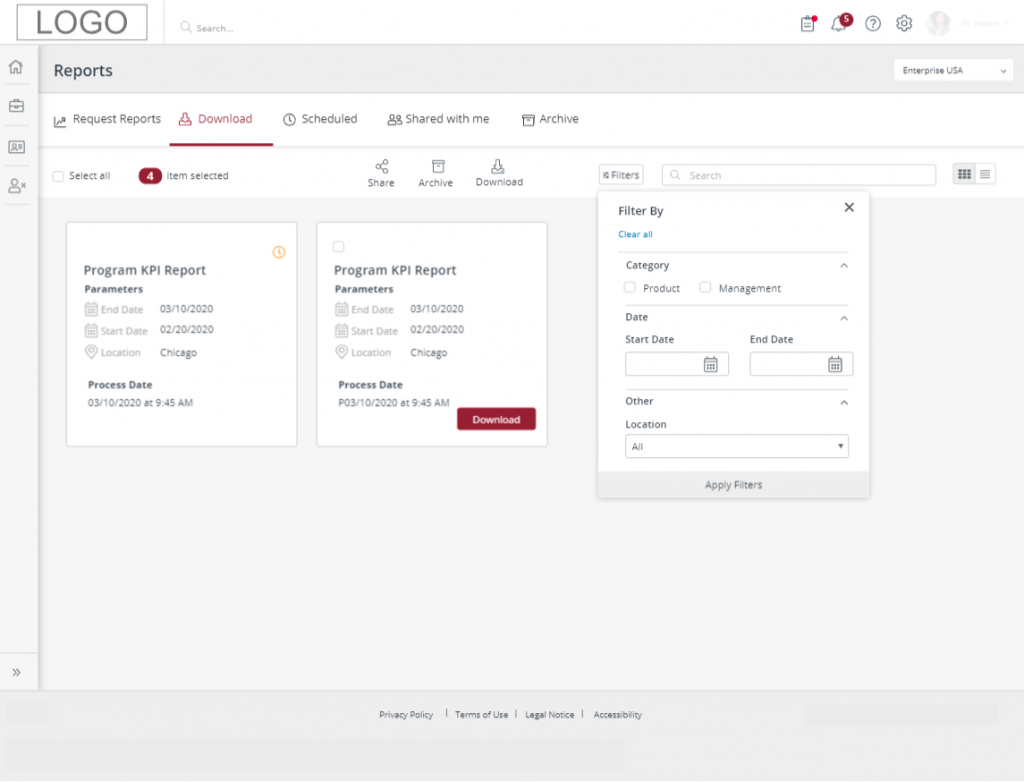
I was assigned to design an optimal system for building and running reports. This Report Center featured both pre-made and custom-generated reports. Key requirements included allowing users to run reports, view the status of reports (in progress or complete), and download completed reports. The system needed to support filtering and bulk actions, as well as the creation of pre-scheduled or automated reports. Additionally, users were restricted from deleting reports but could archive them to ensure traceability.
Report Center Download
Optimizing Report Scheduling: Designing Intuitive Options for One-Time and Recurring Reports
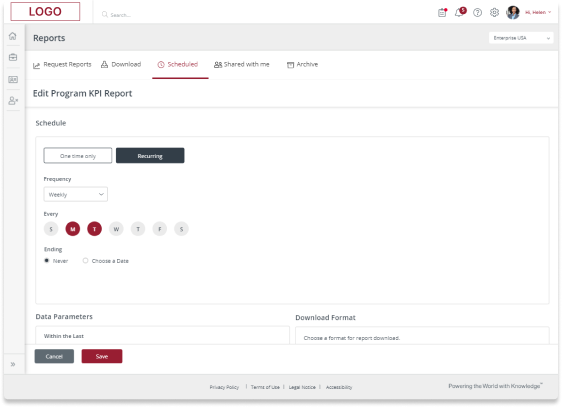
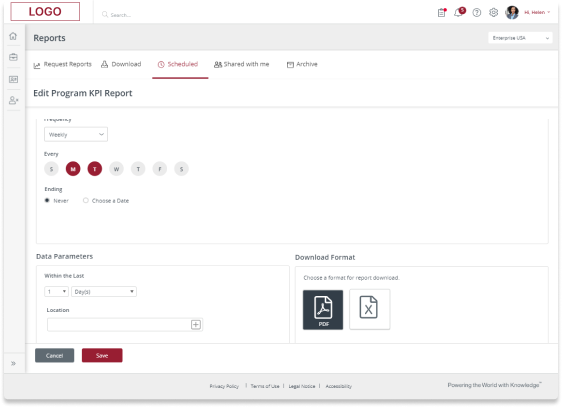
Additionally, I designed the user interface for scheduling reports. The requirements included options for creating one-time reports and recurring reports. The scheduling design underwent multiple testing cycles to ensure the most intuitive and effective approach for setting up recurring reports. Key areas of focus included user confidence in their selections, ensuring that reports would run correctly for the specified time period until the designated end date, and organizing selection parameters in a logical order that meets user expectations.
Report Center
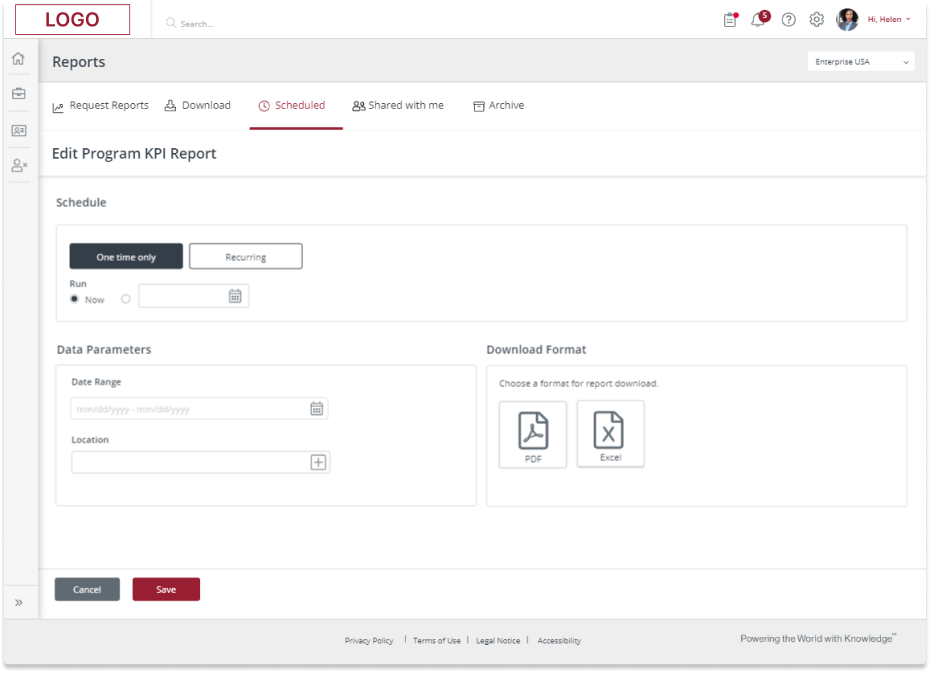
One Time Only vs Recurring
Download Format
Designing Intuitive Organizational Settings: Enhancing User Navigation and Customization in the Portal
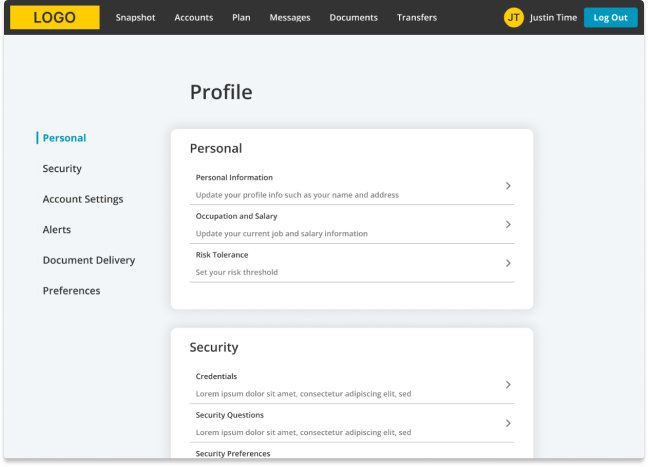
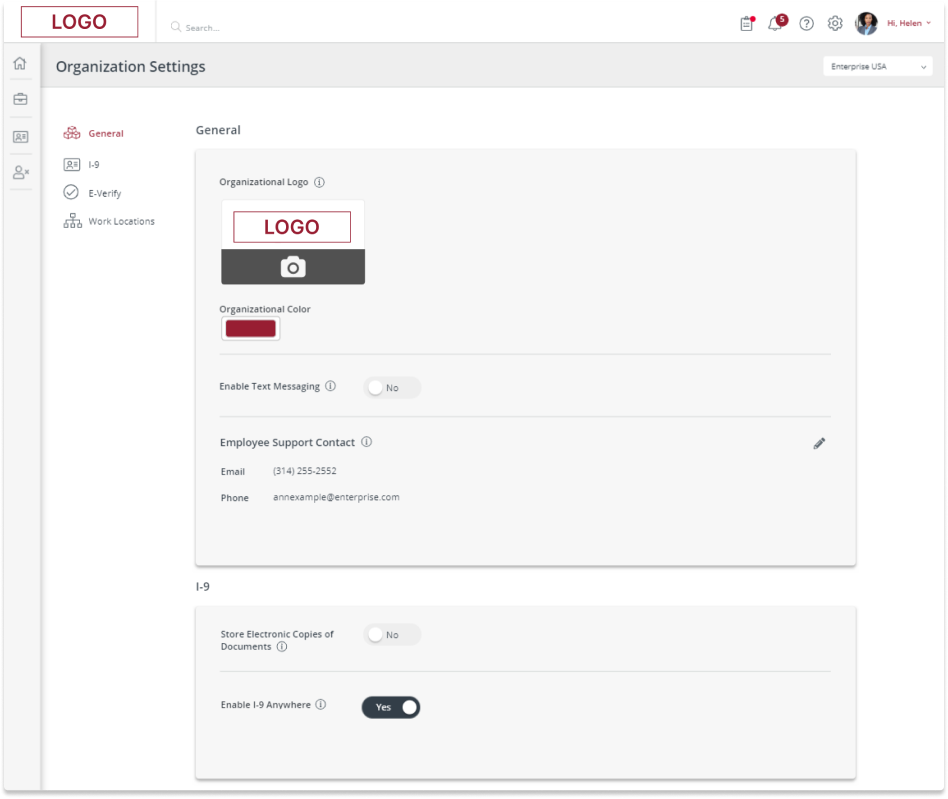
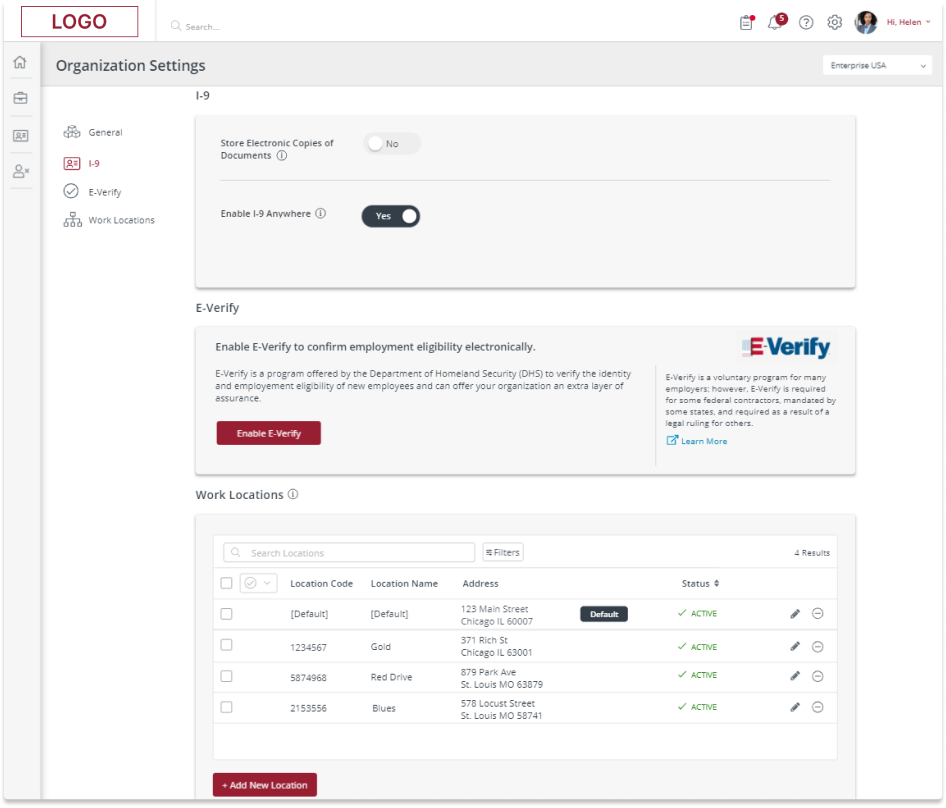
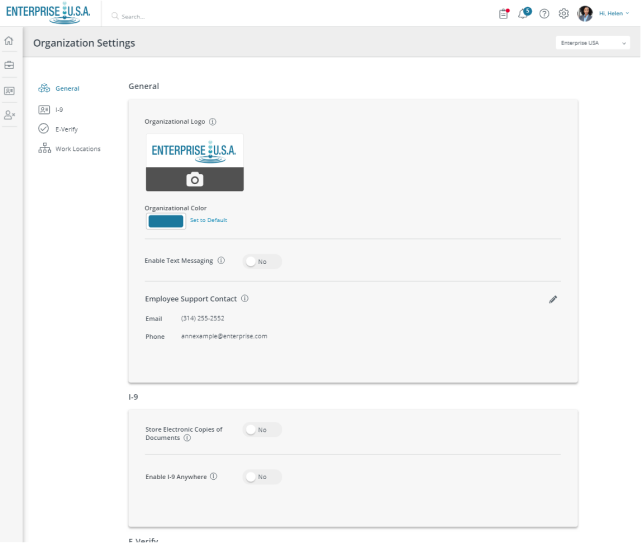
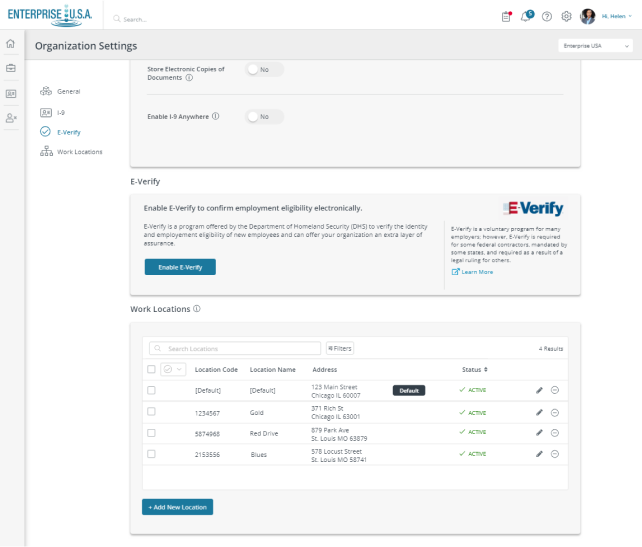
Portal users can customize various settings to improve their experience within the Portal. In my role, I focused on designing the Organizational Settings by conducting market analysis on prevalent user setting design patterns. This involved identifying common practices and project requirements, which led to the development of a scalable search feature optimized for mobile use and user intuitiveness. I implemented a left-hand category navigation and grouped related settings within a card layout, enabling users to swiftly navigate to the desired section and modify settings. The Organizational Settings underwent user testing and received positive feedback, as users found it easy to locate and adjust their desired settings. A key aspect of the testing phase was assessing whether users could intuitively understand the categorization of settings, which proved successful.
Organization Settings Top
Organizational Settings on Scroll
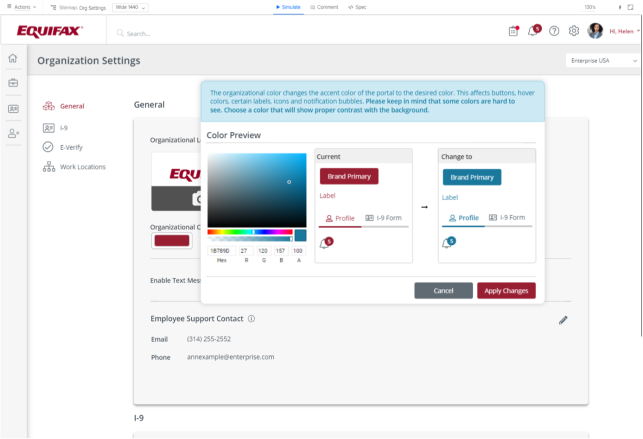
Change Organization Brand Styling
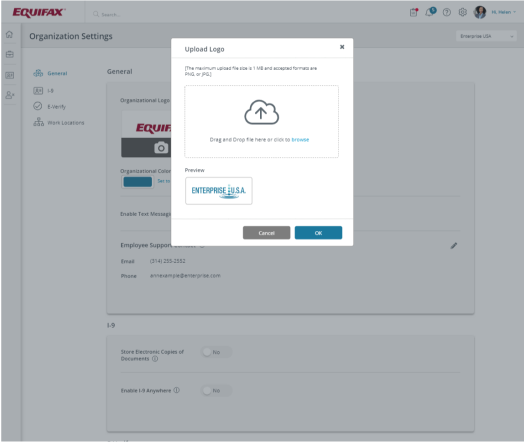
Upload Organization Brand Logo
New Organization Brand Styling Top
New Organization Brand Styling on Scroll
Enhancing Portal Usability: Developing a Comprehensive Search Feature for Efficient Information Retrieval
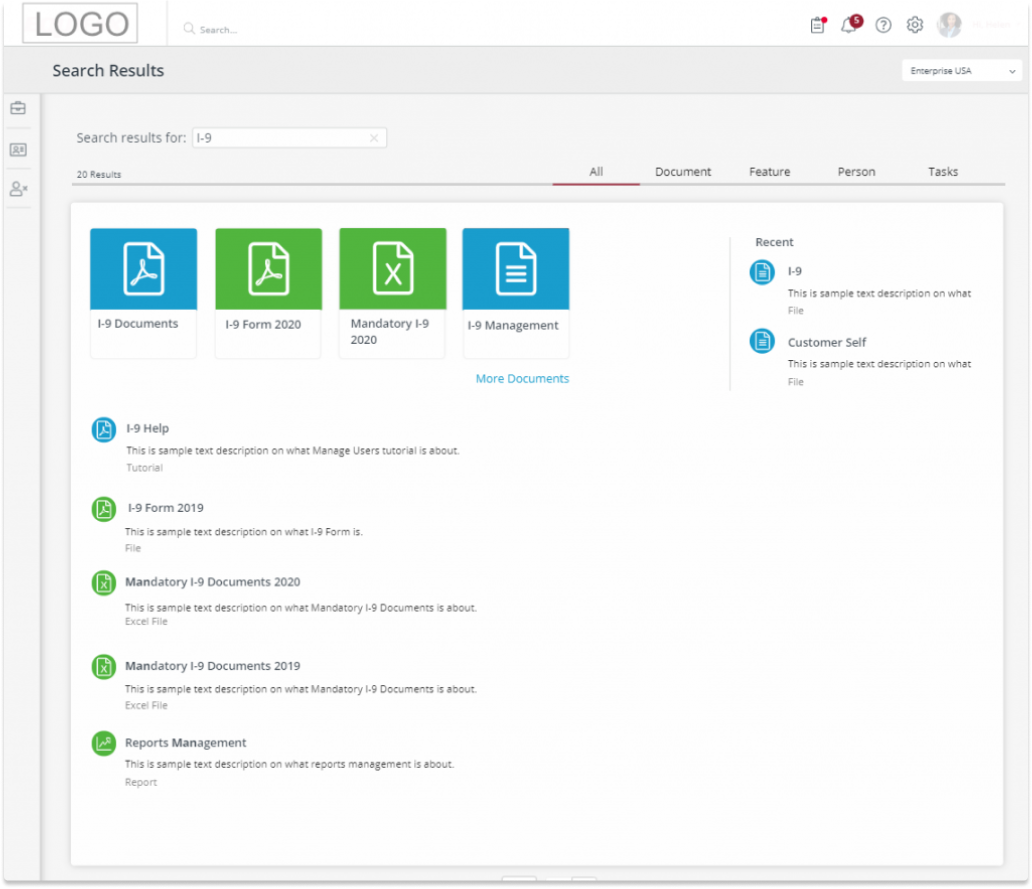
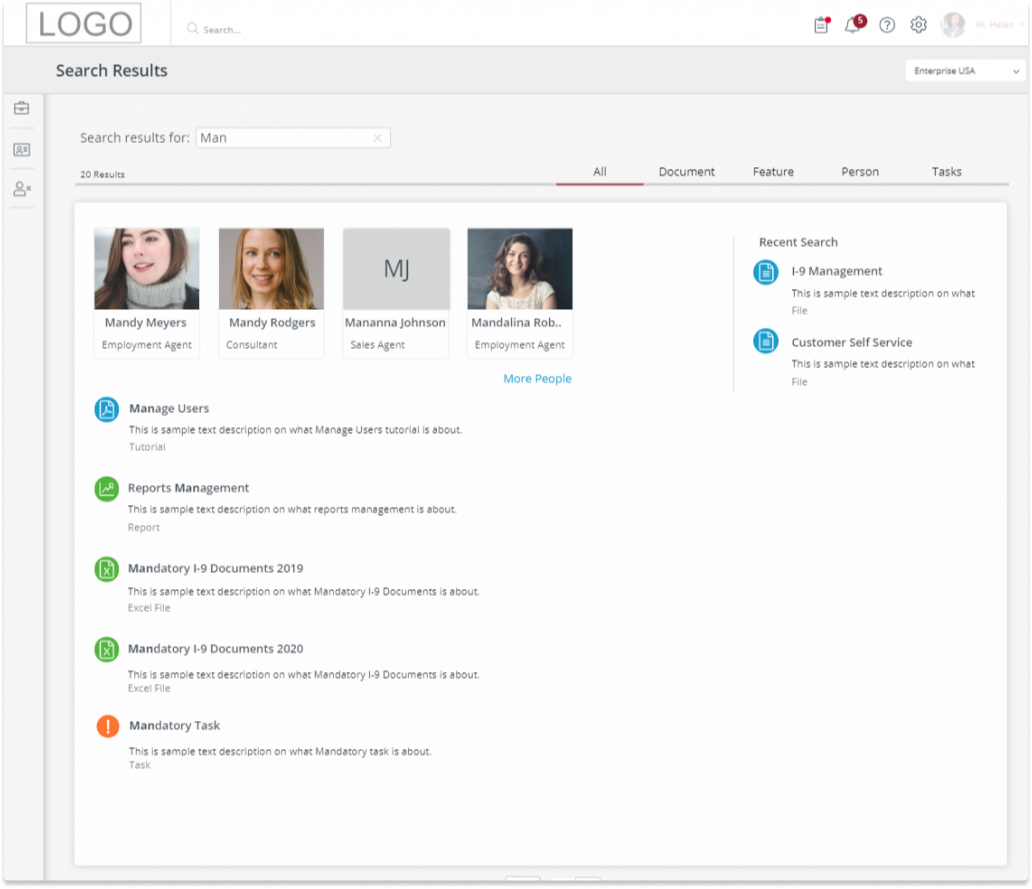
Finally, users required the capability to swiftly locate documents, contacts, and reports within the portal. An effective search feature allows users to retrieve files without knowing their exact location in the system. Upon entering a search parameter, the system searches all resources by default and returns any matches found. Users also have the option to narrow their search to specific types of results, such as documents, features, contacts, or tasks. I meticulously addressed all aspects of the search process, including scenarios where no results are found. Additionally, the design was optimized for various device breakpoints, ensuring a seamless search experience across all platforms.
Search All
Search Documents