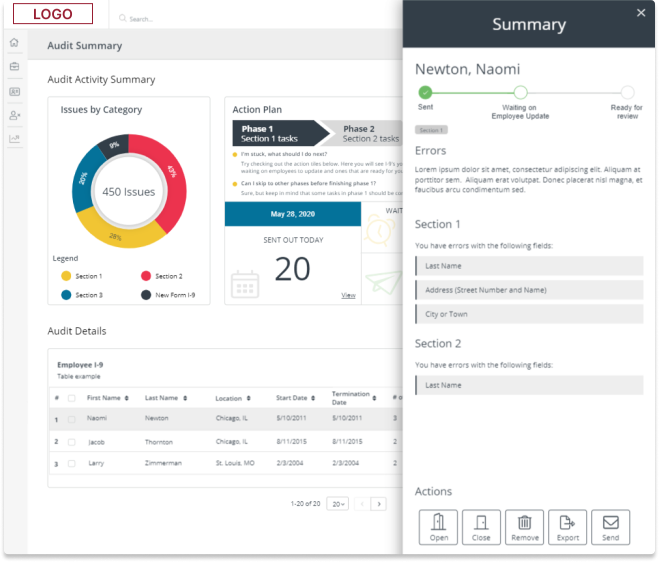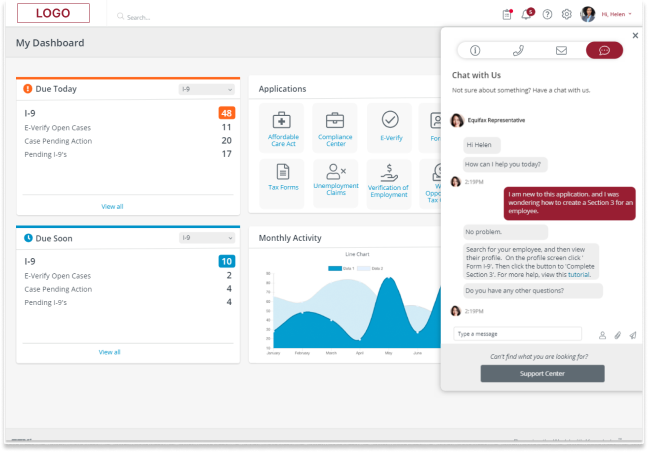
As the Senior UX Designer I was responsible for managing the migration from PPSE 2.0 to 3.0 system. Job duties involved combing through the outdated site and redesigning each page. Leading user research to ensure the redesign has better flow and users see all information needed to purchase products.
The Estimator tool allows an Auto Sales Reps to estimate the cost of a repair for a specified vehicle Year, Make and Model providing the customer with a digital copy of the estimate with a full cost breakdown of parts and labor needed.
My Role
- Lead Senior UX Designer
- Responsible for pulling the team back on tract to meet product go live date.
- Design an Estimator tool from the ground up to compete with market competition.
- Market analysis
- Work with developers to implement the design
Results
- Solved the issue where the team was behind schedule for go live. They would miss the deadline by a few months in design alone and did not include development estimates. Created a design that got the team ahead of schedule go live date in 2 days.
- Created an intuitive parts selection design simulating filling out a digital form.
- Updated components to use Atomic Design allowing for on the fly changes during product calls with the Product Owner and SME’s
It started with concerns about being able to hit the target MVP date with the current designs.
I initially took over for a UX designer on the Estimator team, who was transitioning to new opportunities. The Estimator team was concerned about meeting the target MVP date with the current designs, as they required extensive discovery work that could delay the project by months past MVP date.
During the transition period, I attended calls with the development team and the Product Owner (PO), gathering their concerns and understanding the issues that needed addressing. I assured the PO that I understood the challenges and requested time to create a mockup to address these concerns.
Initially I developed a wizard design and presented it to the transitioning UX designer. She liked it but noted that the business wanted users to start anywhere in the process and not be constrained by a step-by-step wizard. Additionally, some steps were optional, and users might want to skip through and only complete certain sections.
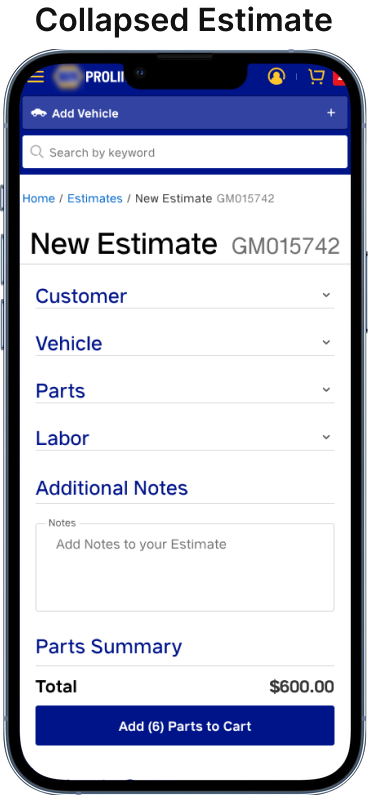
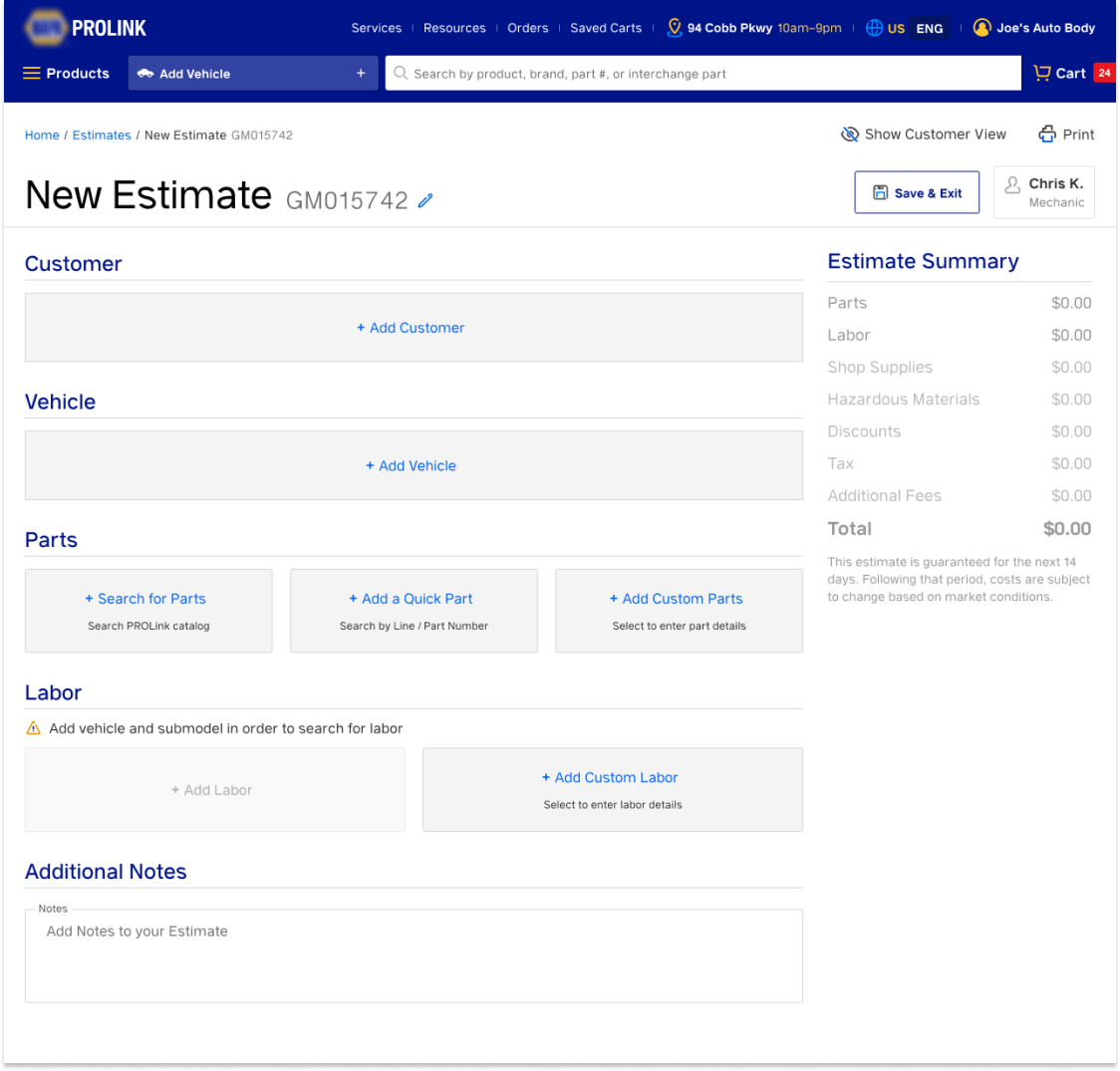
After considering this feedback, I transformed the summary view into an editable form, allowing users to pick and choose the elements they wanted to include in their estimate. I called it the “Estimate Builder.”
The next day, I demoed the design, and the transitioning UX designer was impressed, believing it would meet the team’s needs. Shortly after, a new UX lead joined the team. I showed him the designs, and he was enthusiastic, encouraging me to present them in our review session. When I did, the team was equally impressed and excited about the new design. The process of putting the team back on schedule took a total of 2 working days.
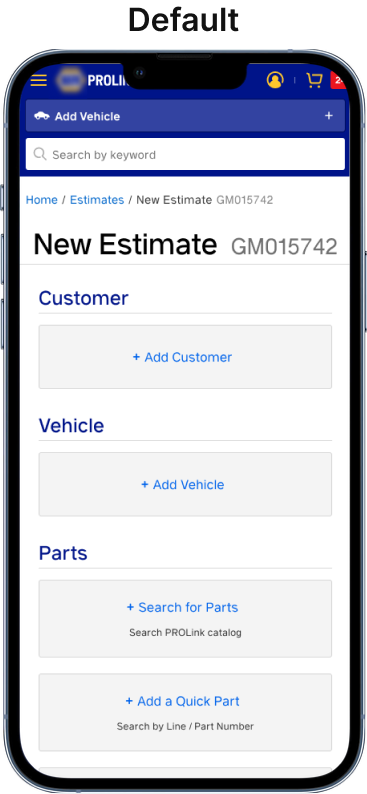
Start out by selecting the area you want to apply to your estimate.
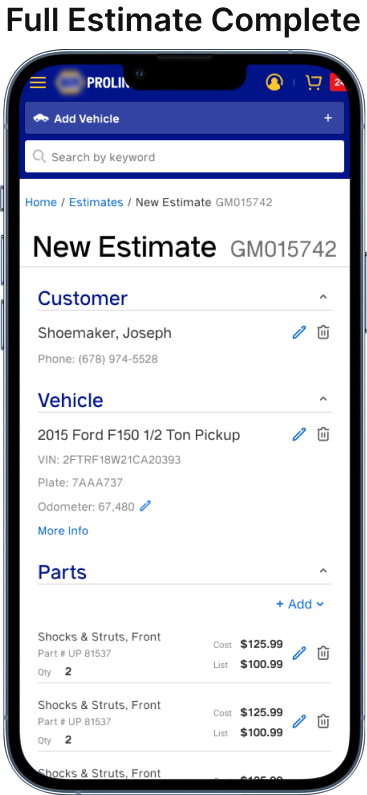
The Auto Parts Sales Rep starts of his/her journey by entering customer information followed by a vehicle Year, Make and Model (YMM). This ensures there is a profile created for this customer and a vehicle to accurately display parts.

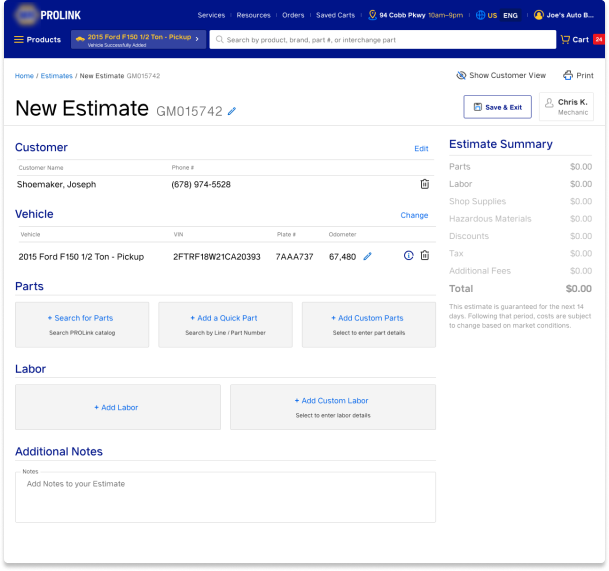
Build your estimate as you go
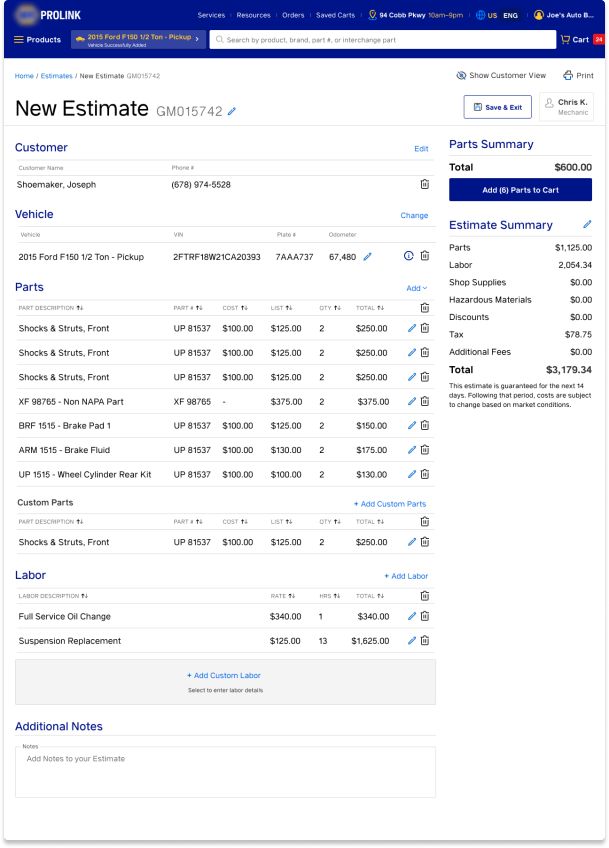
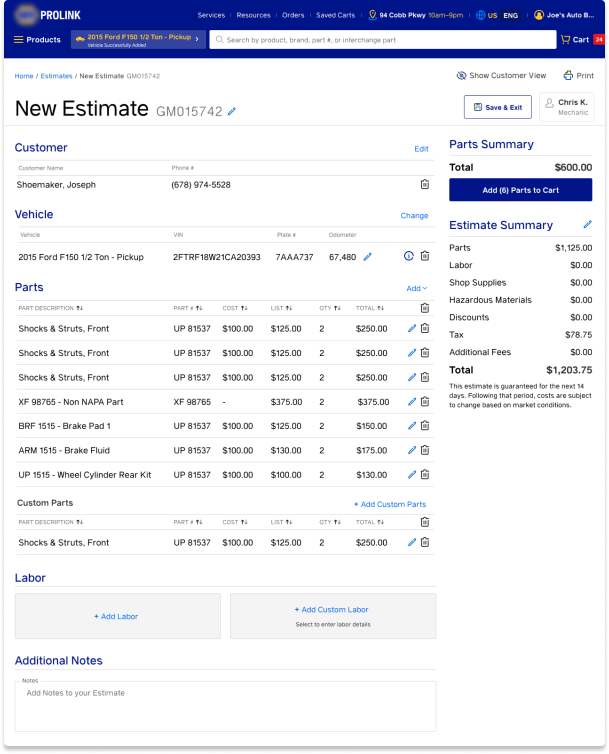
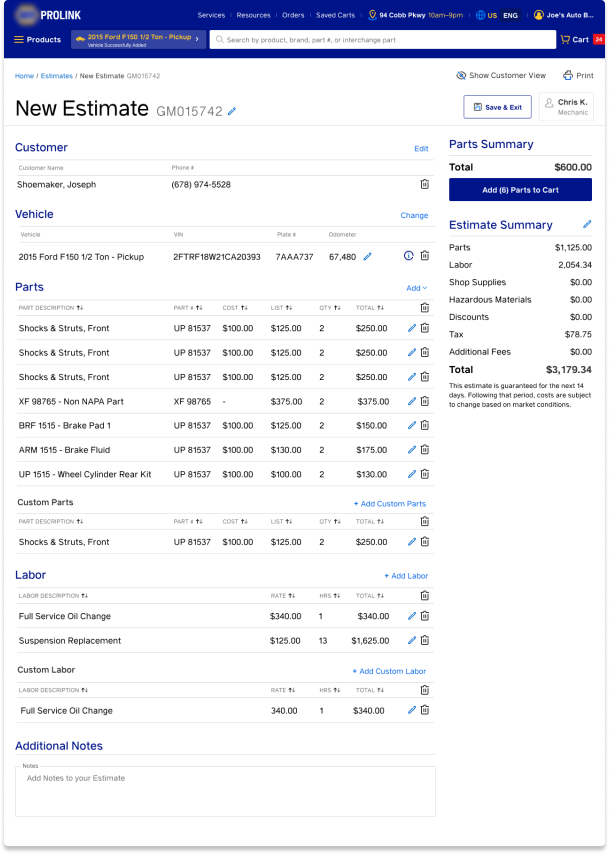
Next the user is able to add parts and labor to the job. Clicking on the button for each navigates the user to the proper section of the application to search for parts and labor. Then the user is returned to their estimate to finish up. When the parts and or labor is added the estimate summary is now filled out giving the Sales Rep an idea of how much the job will cost to complete. The images below show what the estimate looks like in various stages of completion

Worked on streamlining designs across applications
I worked on 3 teams simultaneously which helped to be able to consolidate design patterns across applications. PPSE, Prolink and NOL are very similar in design. Creating the design for estimator opened up changes that could be integrated into Prolink. The Product Owner wanted me to take a look at how we might change the Prolink experience to address the feedback given by customers. This was a big win as it opened up new opportunities to enhance the user experience for our customers.
An integral part in hiring a design system employee
With all the changes coming down the pipeline for integrating the systems together a new role emerged to create a design system for the development team to use. This will make it easy for products to stay in sync. My expertise in design systems helped in crafting the position and qualifications desired for said position.
Position Title: UI/Front-End Developer
Recommended skill set submitted to the business:
- Be the ambassador of the design components
- Be able to collaborate with UX so must have design knowledge (font, typography, grid systems, components, form elements).
- Understanding of Accessibility. Be able to code components using proper semantic markup, aria-labels and focus-states to properly work with screen readers.
- Extensive front end knowledge (knowledge of the following front end technologies: HTML5, CSS3, JavaScript and knowledge of any of the following frameworks: React.js, Angular.js, Vue.js
- Understand how to use design tools such as Figma
- Story book integration knowledge is a plus
- Experience hosting a design system
Streamlined design files for rapid designing and on-the-fly changes
Atomic Design is an excellent framework for how to design and organize components. It is noteworthy that all designs should make use of components. Copying and pasting frames only prove to extend the time in making changes as the designer must make the same change to all other related/duplicated frames on the page. It is also important to make proper use of auto-layout and proper scaling so that when pages are resized they scale appropriately. Once the page is broken down into smaller scalable parts it can then be organized in it’s own design file following the Atomic Design principles. It takes some time to complete, but once done correctly instances of pages can be used swapping out portions of the page for other variants. This allows one to make changes immediately within the call. Changes are updated on all instances of the templated page.
Worked on Mobile Designs
Atomic Design is an excellent framework for how to design and organize components. It is noteworthy that all designs should make use of components. Copying and pasting frames only prove to extend the time in making changes as the designer must make the same change to all other related/duplicated frames on the page. It is also important to make proper use of auto-layout and proper scaling so that when pages are resized they scale appropriately. Once the page is broken down into smaller scalable parts it can then be organized in it’s own design file following the Atomic Design principles. It takes some time to complete, but once done correctly instances of pages can be used swapping out portions of the page for other variants. This allows one to make changes immediately within the call. Changes are updated on all instances of the templated page.