This application enables employers to switch from paper-based to electronic I-9 forms, facilitating the generation, auditing, and correction of each uploaded form. It simplifies the process of creating and updating documents for all parties involved, and supports the uploading and processing of paper I-9 forms. My role encompassed designing the entire workflow, from initial ideation and wireframing to creating high-fidelity prototypes for the uploading, processing, and remediation of I-9 forms.
Audit and Remediation was an application that allowed “Our Persona Helen” to upload historical paper I-9’s eliminating paper
My Role
- Crafted personas
- Performed remote user testing
- Market analysis
- Engaged with stakeholders for requirements gathering and design review
- Design for all mobile breakpoints
- Work with developers to implement the design
- Ensure Accessibility
Results
- Implemented a design that facilitates the scanning of I-9 paper forms into the system, which automatically checks for and allows correction of any errors detected.
- This solution enabled companies to save hundreds of thousands of dollars in costs related to remediation and error corrections.
Audit Summary
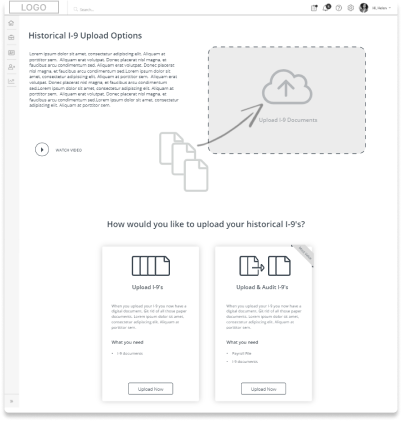
Uploading paper I-9’s into the system
This application allows employers to transition from paper to electronic I-9 forms, supporting the generation, auditing, and correction of each form uploaded. It streamlines the creation and updating of documents by all involved parties and enables the uploading and processing of paper copies. The application also offers real-time insights into the status of each document, showing which are in progress and which need to be completed.
Given that errors in I-9 forms can result in substantial fines, this tool is essential for compliance and efficiency.
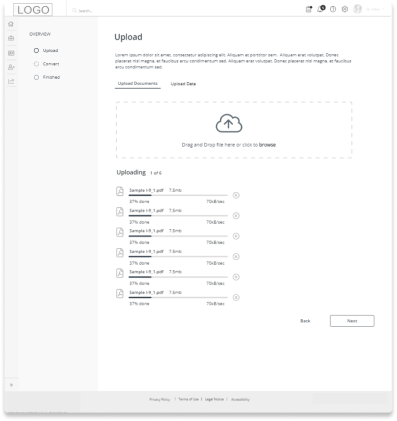
The system requires users to first upload all paper I-9 forms. These forms then undergo a series of checks. Upon completion, a summary dashboard displays the I-9 forms that have been processed successfully alongside those that require corrections. Users can make the necessary corrections directly within the application. I initiated the design process by creating wireframes.
Upload I-9’s
Processing time and error handling
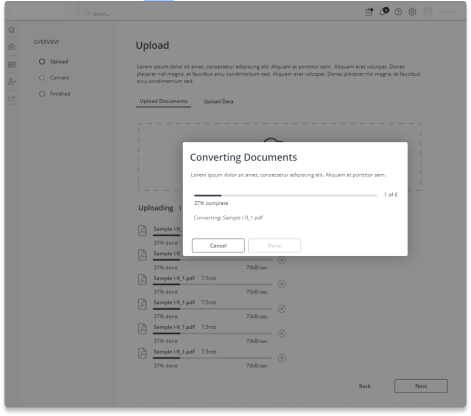
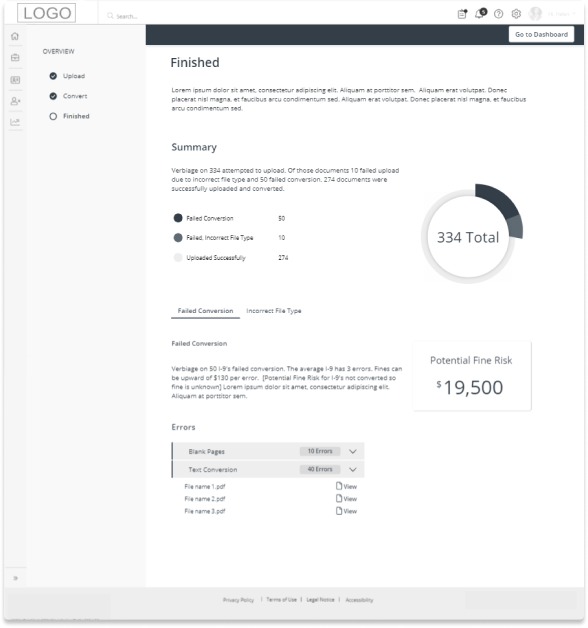
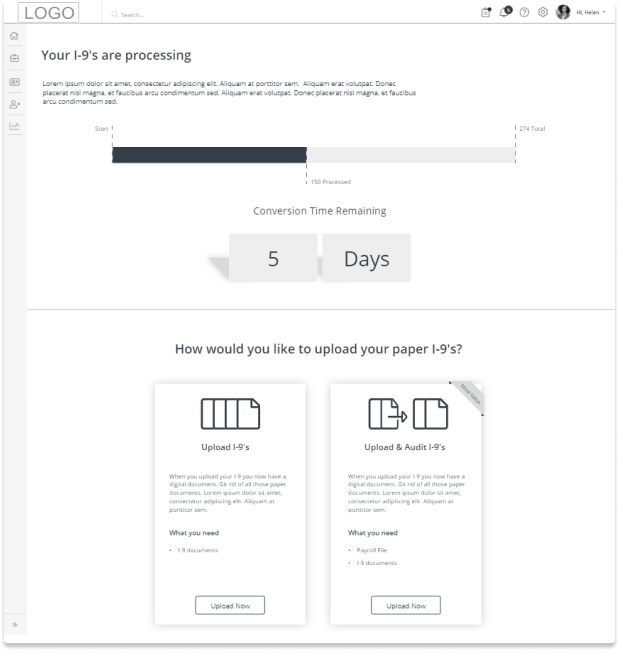
Processing all the paper I-9 forms can take a while, so a screen informs users of the remaining time expected for completion. If any errors are detected during the upload, users are promptly guided on how to resolve these issues. All upload problems must be corrected before users can access the dashboard, which displays a detailed breakdown of the statuses of the I-9 forms.
Processing I-9’s
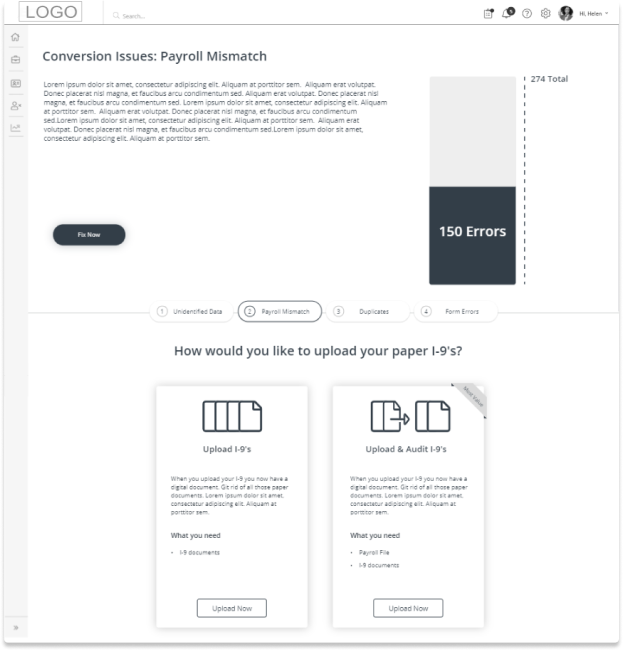
Errors Found
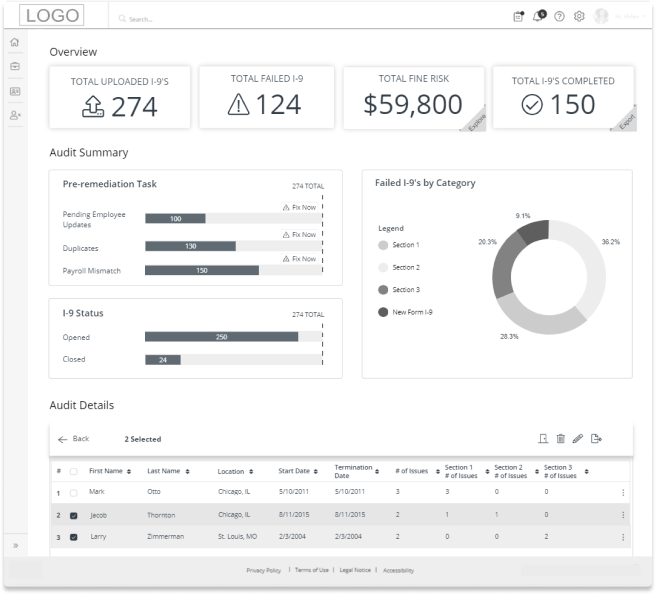
I-9 status is then displayed in a dashboard
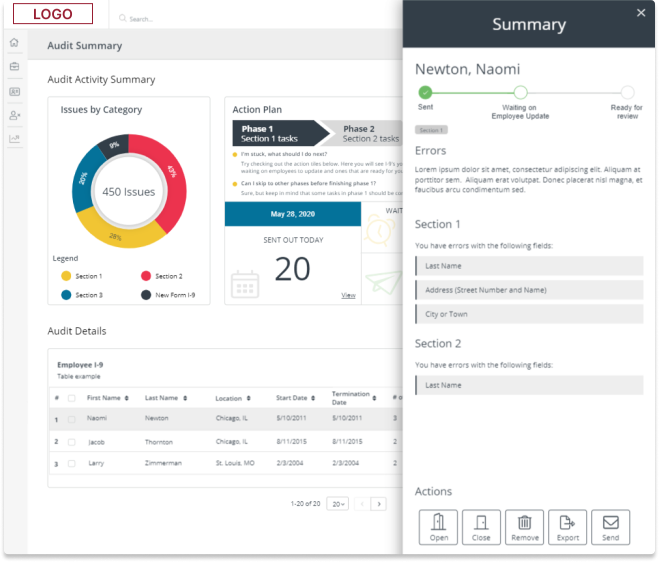
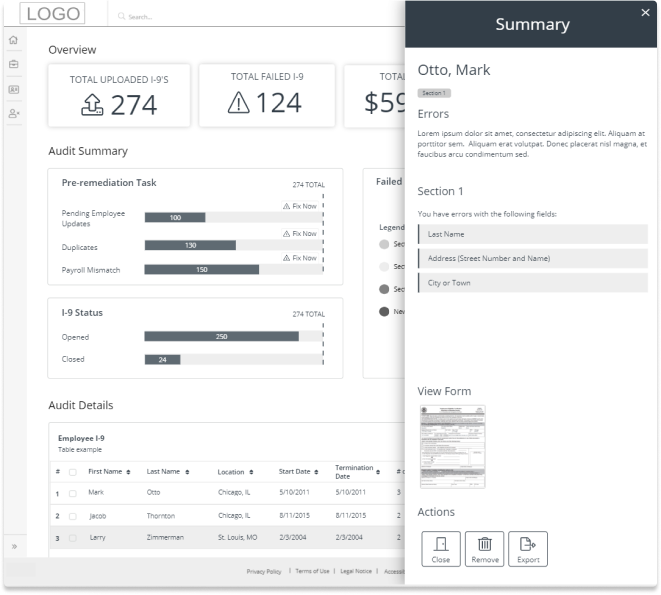
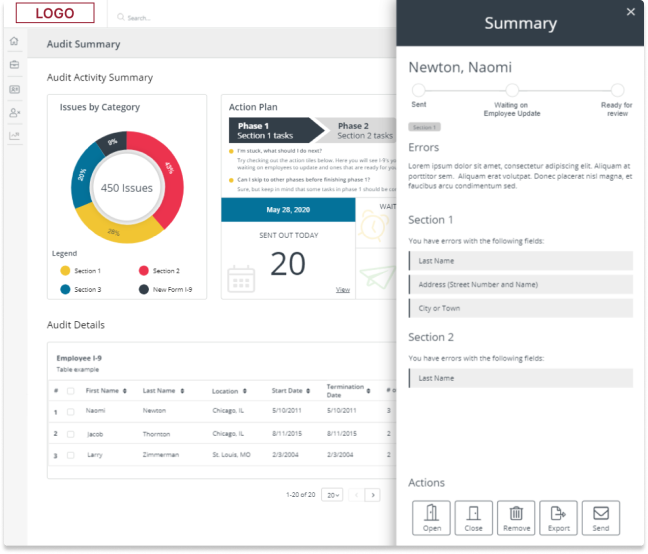
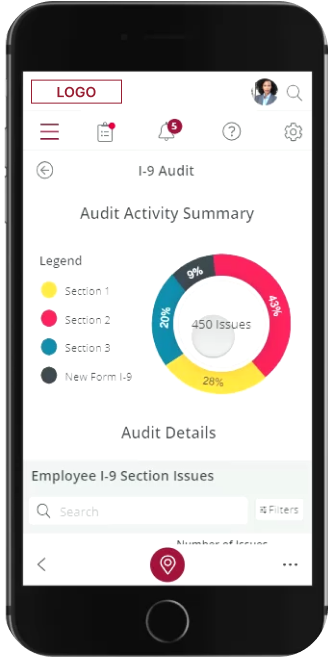
Once the upload process is complete and all checks have been performed on the data the employer is able to view which I-9’s failed and the reason behind the failure. I crafted the design of the summary incorporating insights along the top. Tasks to perform to remediate. I further provided a breakdown using charts and graphs. Finally with a detail section of each uploaded I’9 the employer is able to make bulk selections and bulk edit.
Bulk Selection
Selected Item Details
Design enhancements based on feedback
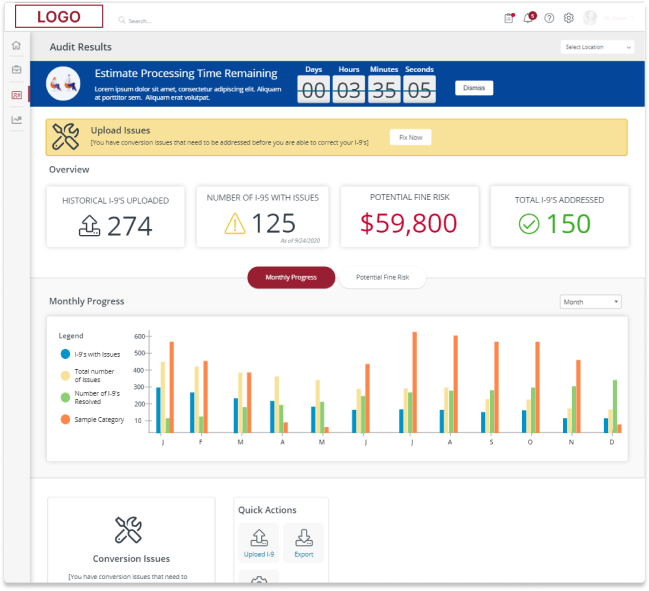
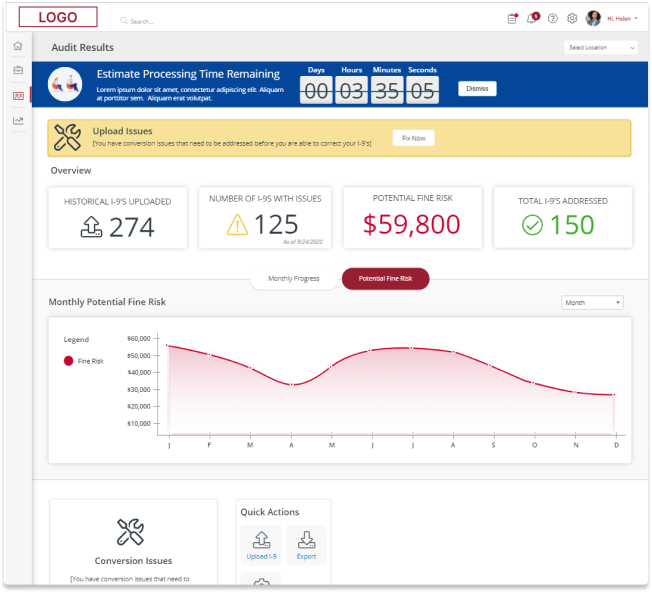
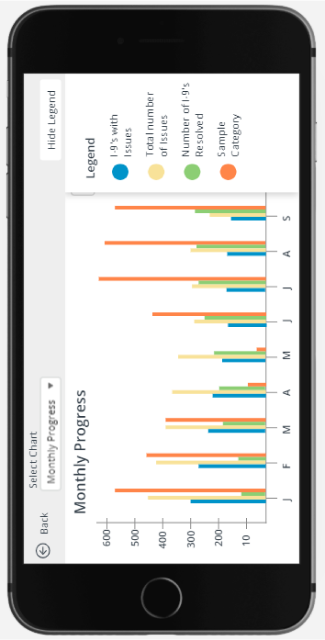
Following extensive research and several iterations, we added new requirements to the application based on user feedback. Users appreciated the insight tiles but expressed a desire to view their monthly progress and potential risk of fines through graphical representations. This addition was also deemed more feasible for the development team to implement. Moreover, the need for mobile compatibility influenced our design direction, ensuring that the enhancements were optimized for use across various devices.
Audit Results > Monthly Progress
Audit Results > Potential Fine Risk
In-Depth Exploration of I-9 Corrections: Enhancing User Guidance
After thorough research and multiple iterations, we discovered that users were often unsure of how to begin the process. Responding to this feedback, I introduced an ‘Action Plan’ section designed to guide users step-by-step through the various stages of correcting an I-9 form. Additionally, when a user selects an entry from the table, the status of the chosen I-9 is displayed, showing its current stage in the process and outlining the necessary next steps. This feature aims to clarify the correction procedure and enhance user confidence in navigating the system.
Audit Results > Monthly Progress
Audit Results > Potential Fine Risk
Adapting Designs for Mobile Compatibility: User Interaction Design
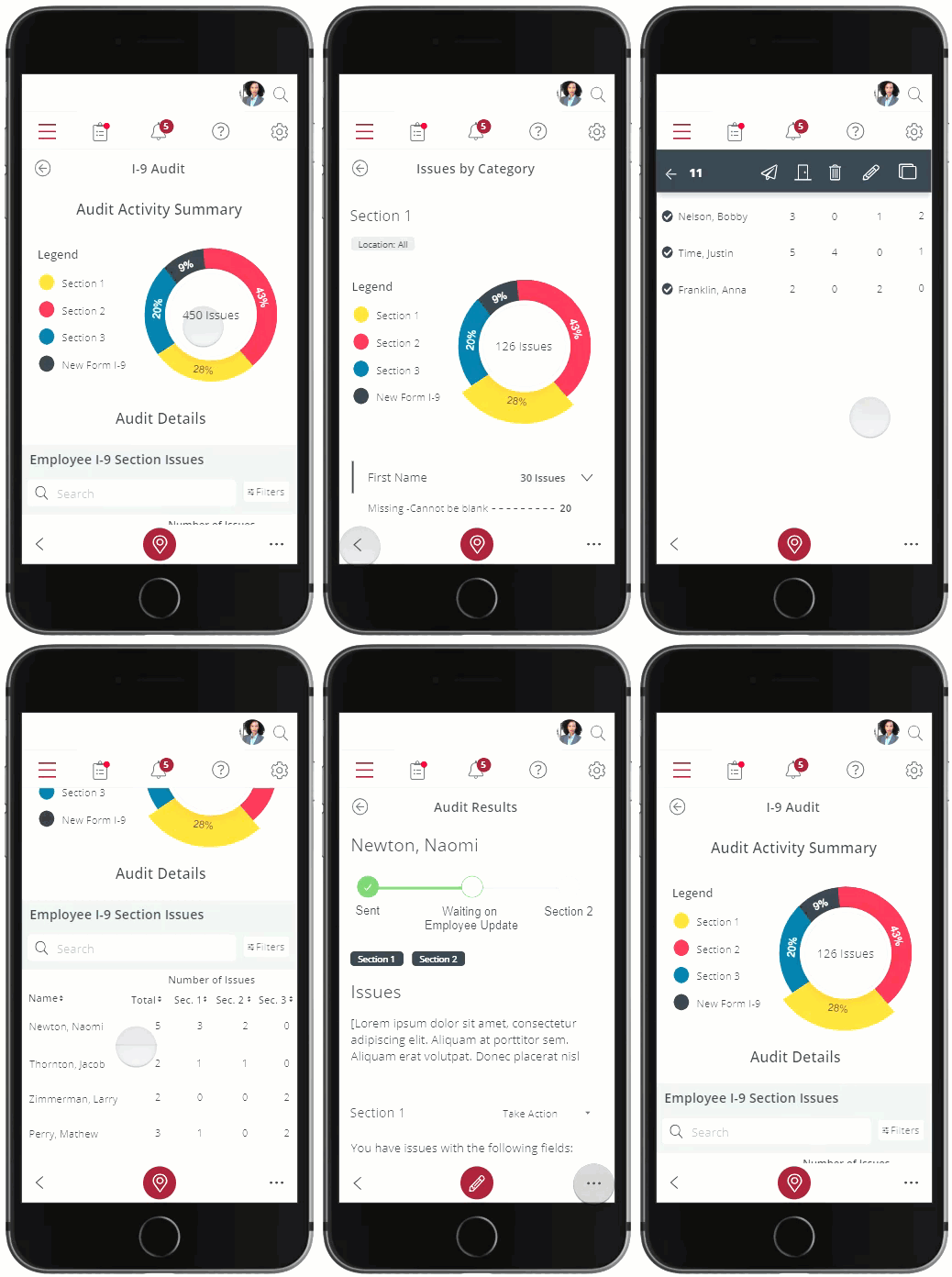
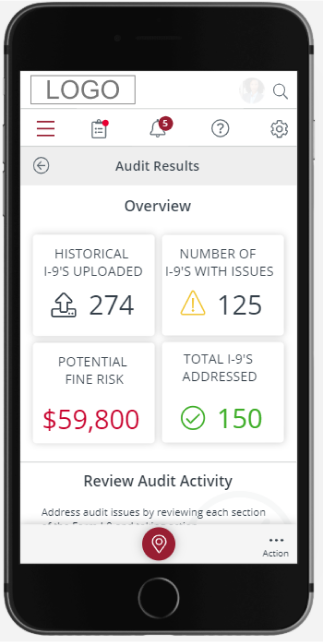
All pages were successfully adapted to mobile breakpoints. During this process, several considerations were addressed, such as how users would interact with features that needed to be consolidated into a menu section. Recognizing that many mobile users operate their devices with one hand, the reach of the thumb was a key consideration. Consequently, the menu system was designed to be easily accessible through a button positioned at the bottom of the application, allowing users to reveal their options with minimal effort.
I created two design alternatives for this feature. The first option introduced a menu at the bottom of the application, where menu items could be scrolled horizontally. The second option displayed all menu buttons animating upwards on the screen, which was positioned above a dark transparent overlay for better visibility and focus. User feedback showed a clear preference for the second option, as it made all choices immediately visible and easily selectable.
Audit Results
Choose your Account

Statements
Audit Activity Summary
Bulk Actions & Menu Style Options
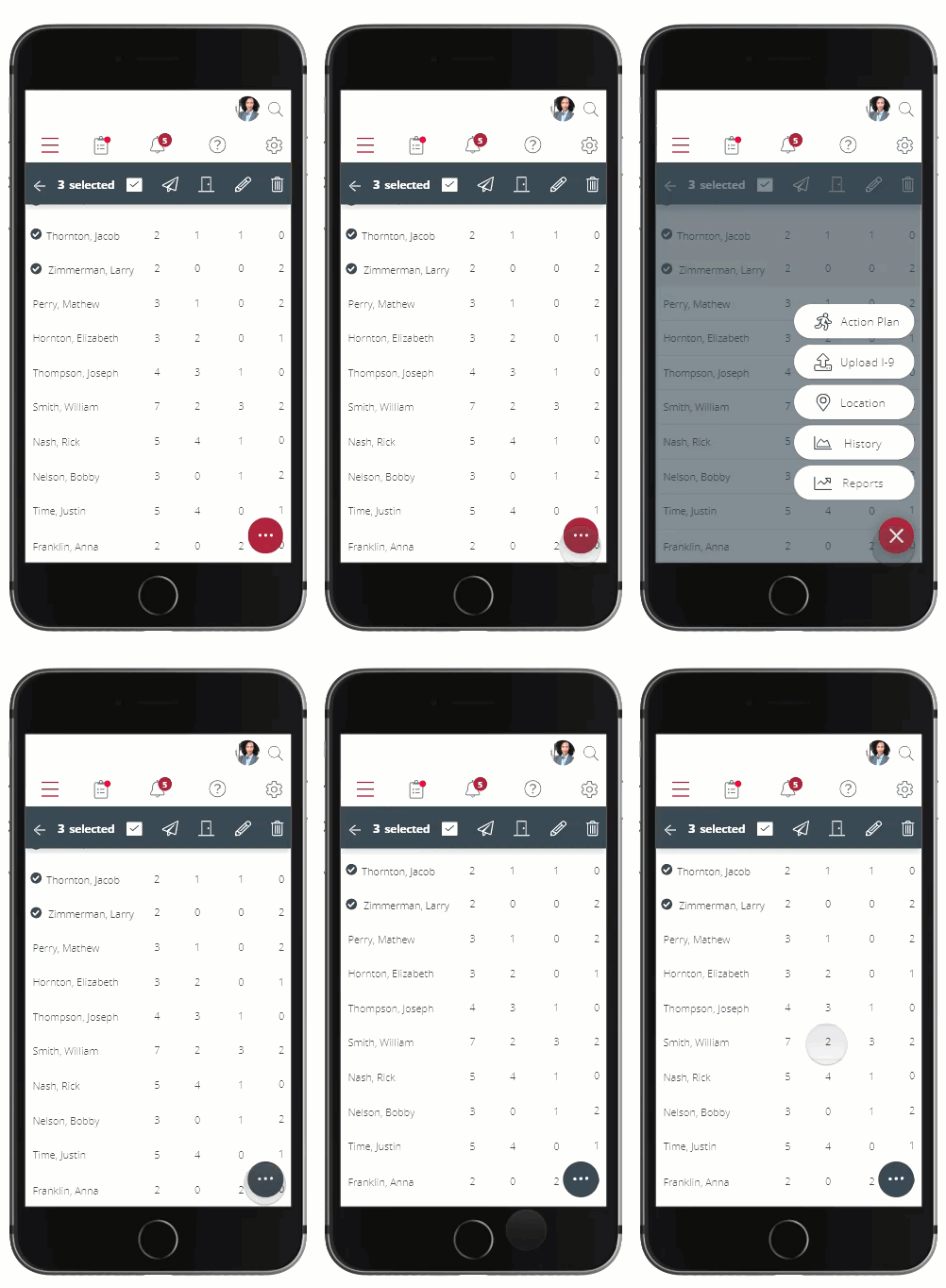
Audit Activity Mobile Walkthrough